 Aser One
Cashflow & budgeting
Know where your money is, every day.
Cash, mobile money and bank. What comes in, what goes out, and what is left for the month.
From / month + VAT
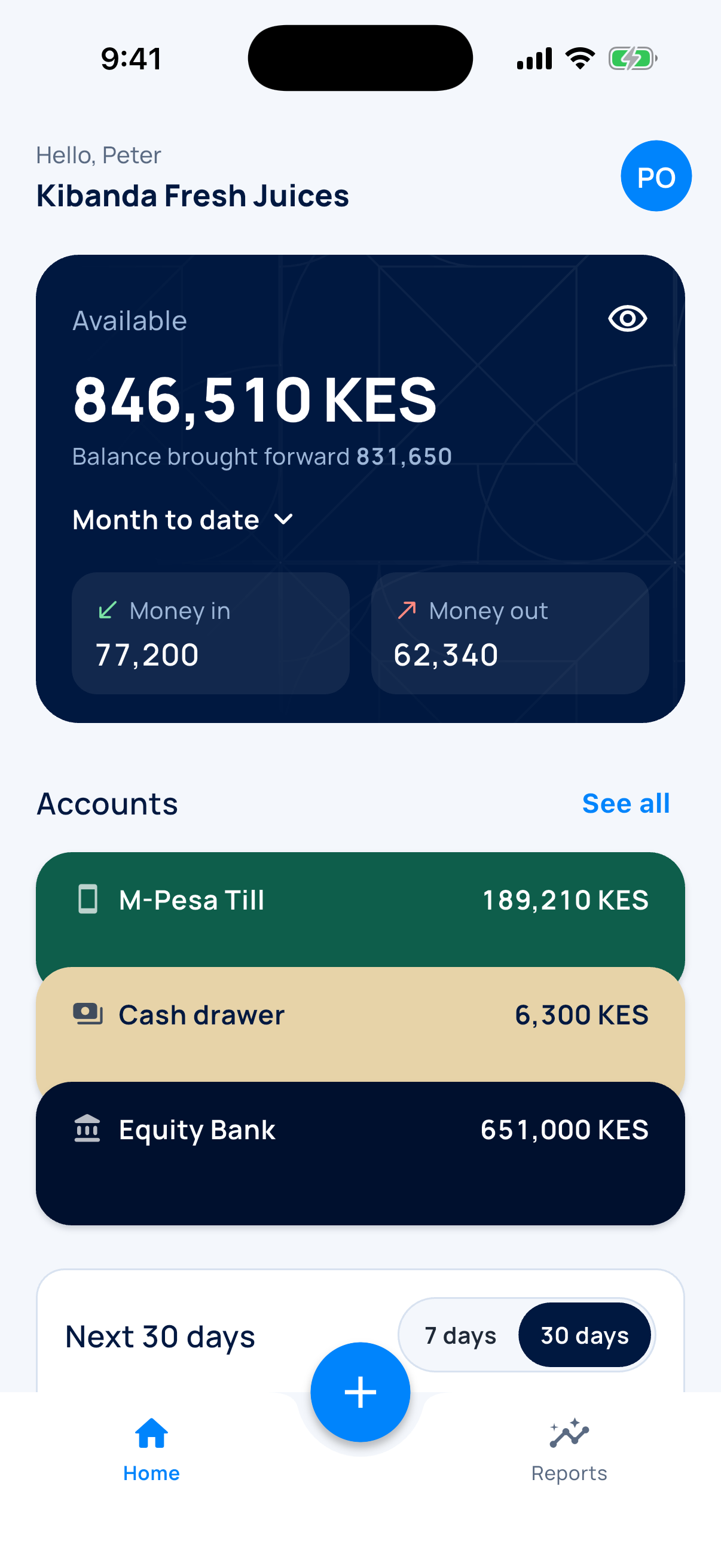
Your first week
What you do, screen by screen.
-
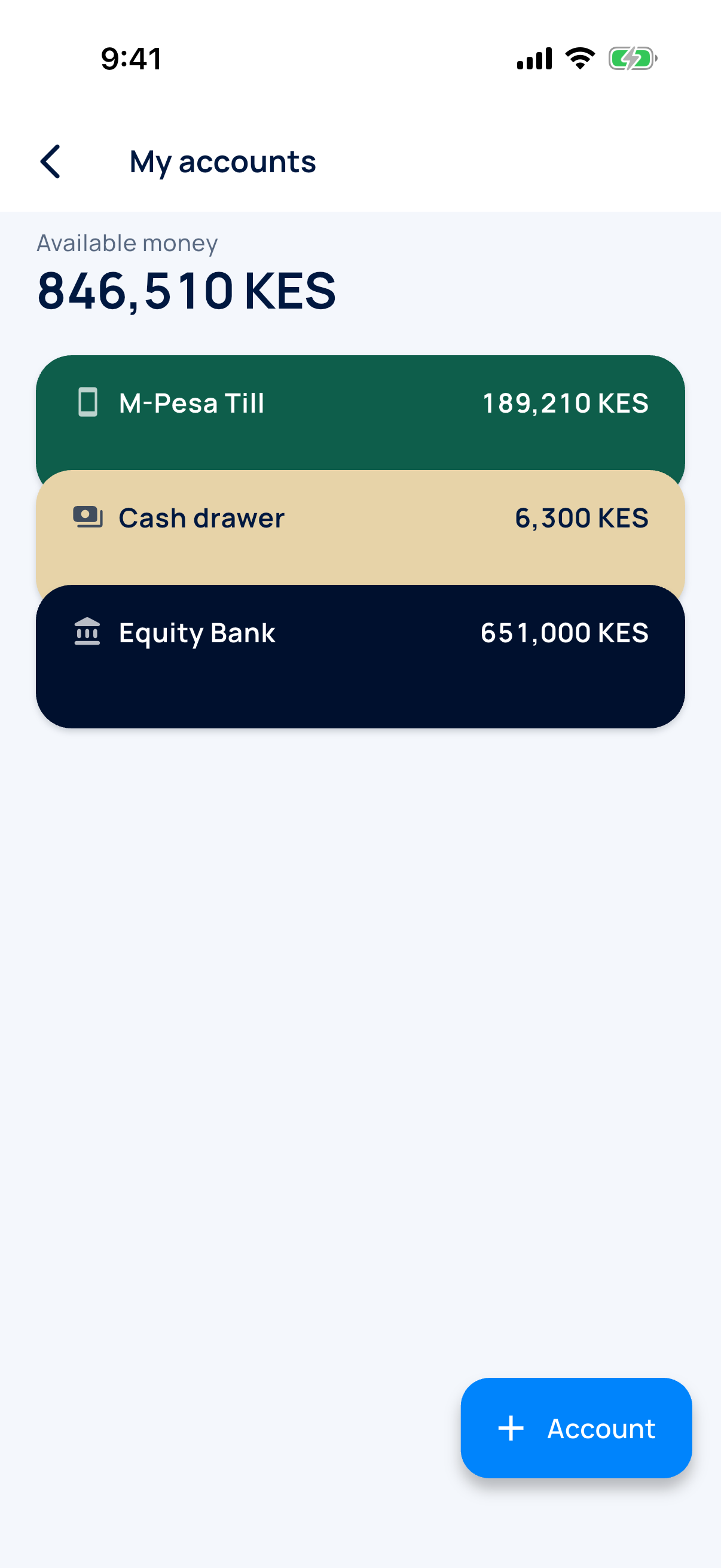
Add your accounts
Cash, M-Pesa, bank.
-
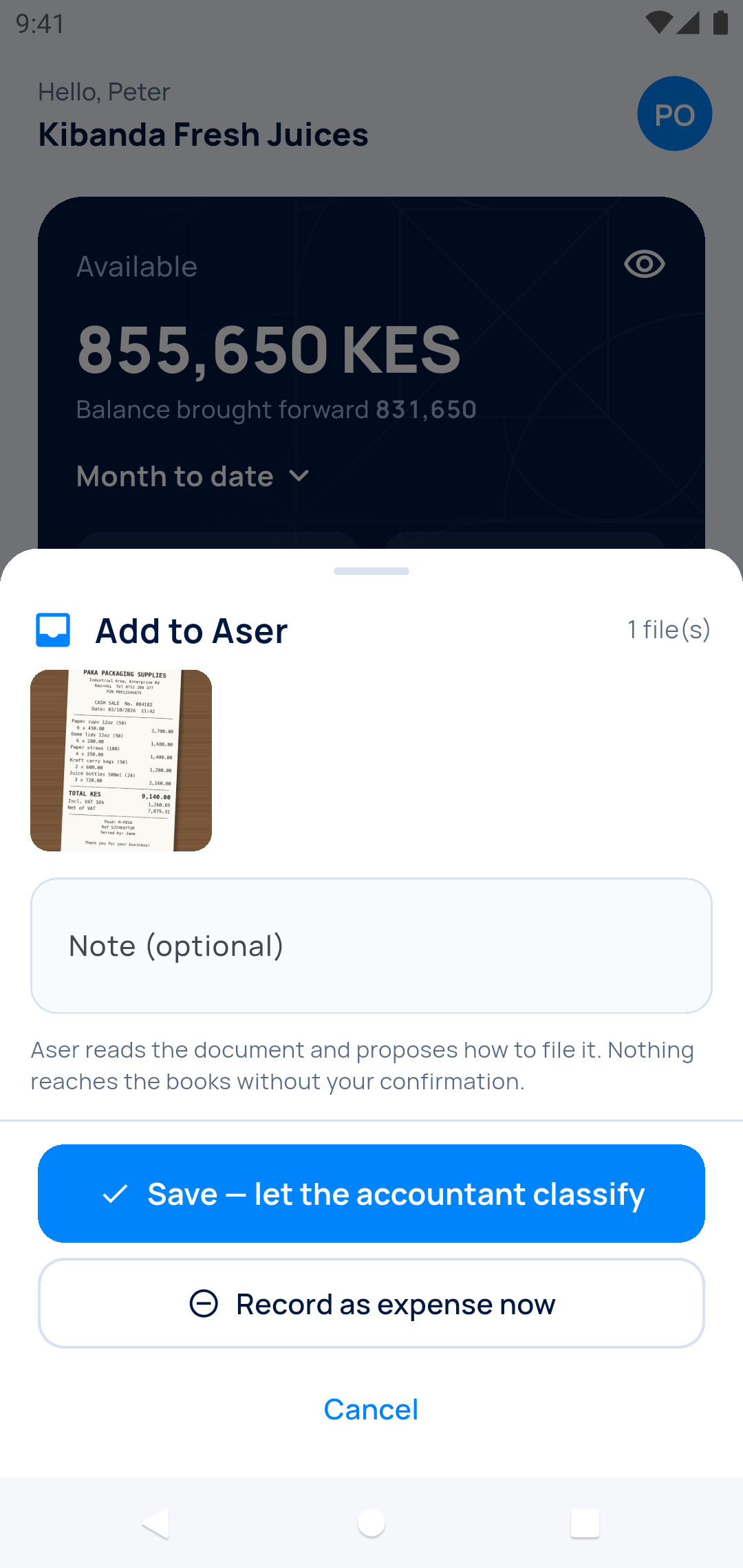
Snap or share the receipt
A photo, or a PDF you got on WhatsApp or by email.
-
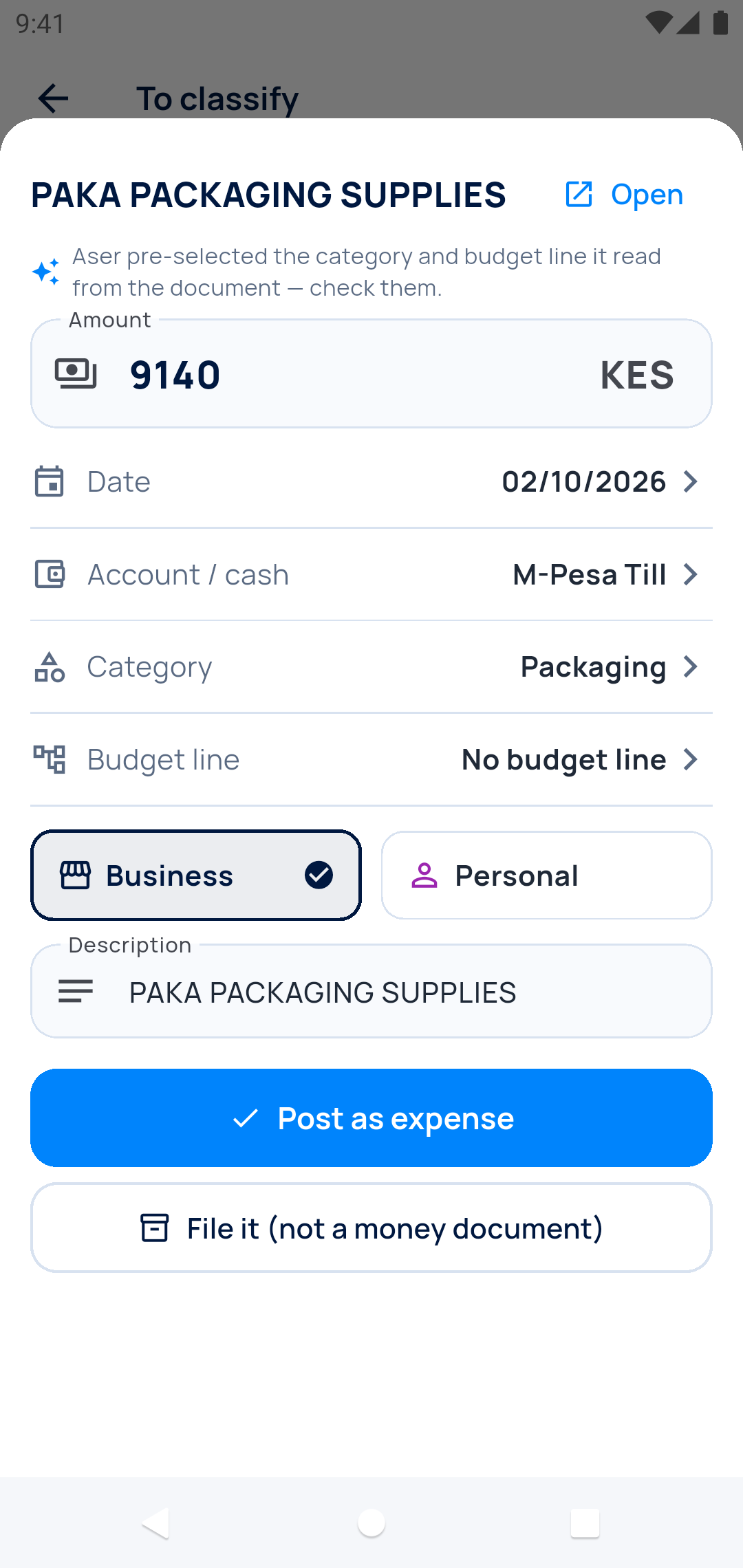
Confirm
Amount, supplier and category are already filled in.
-
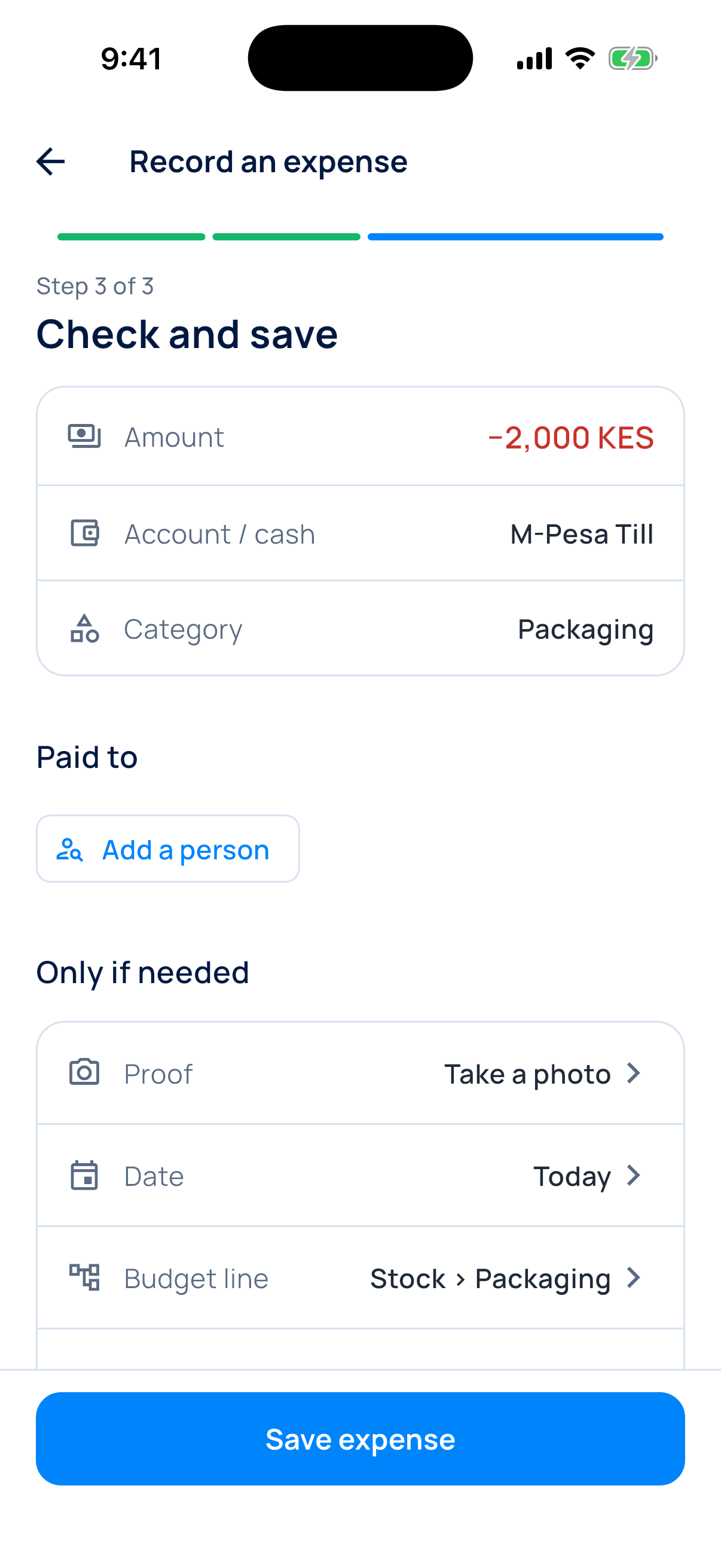
Or type it in
Amount, category, done.
-
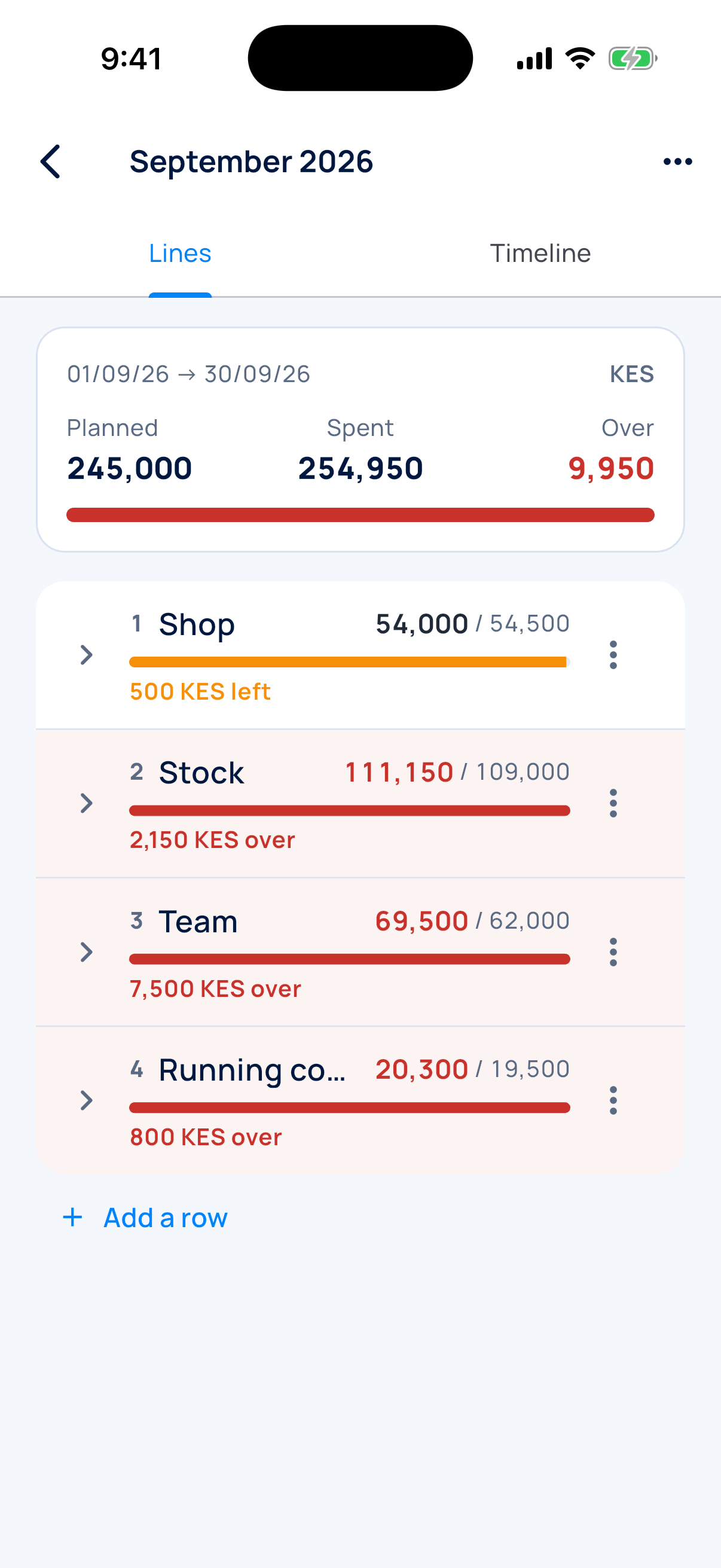
Set your budget
A cap per category for the month.
-
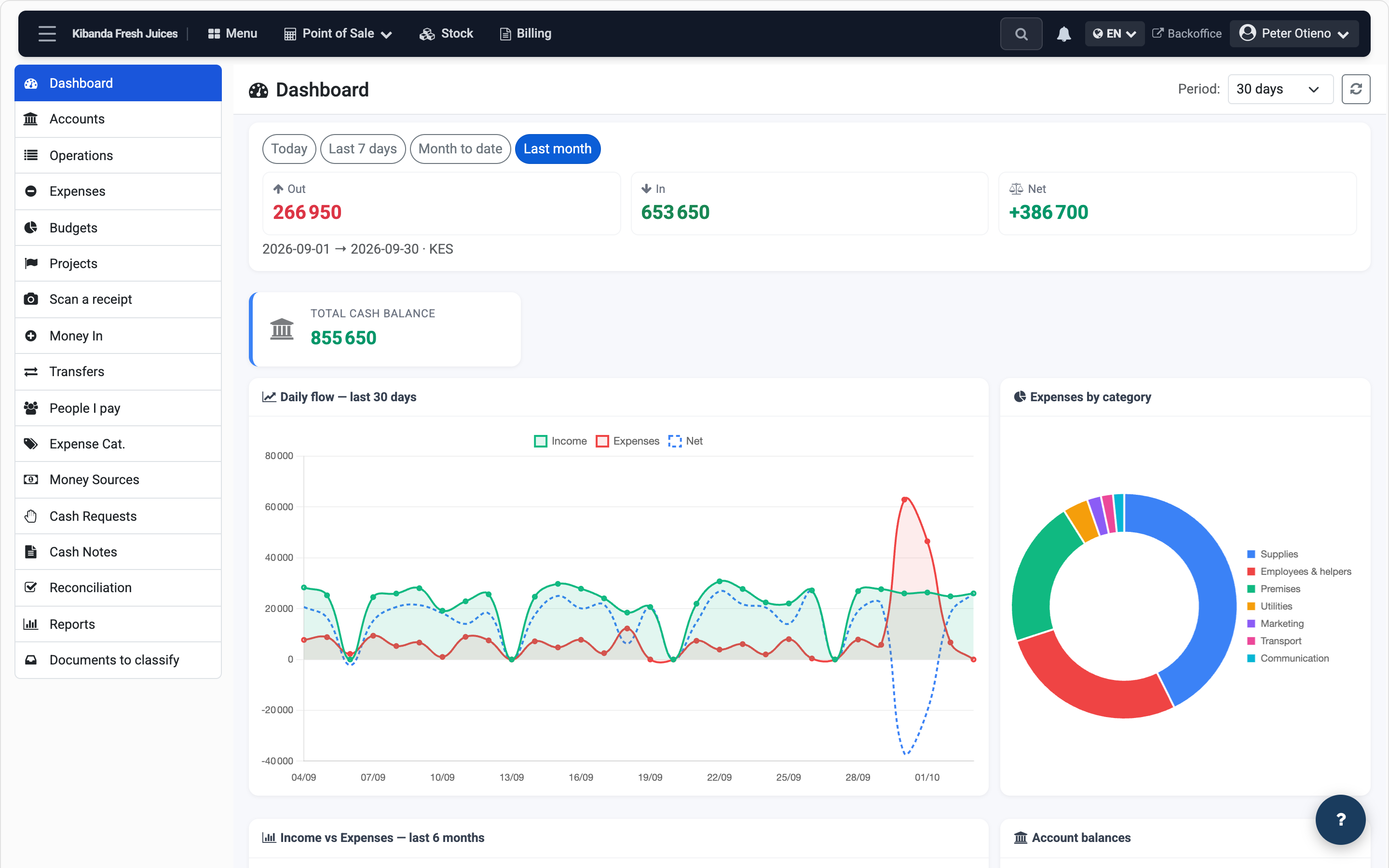
Follow your money
What comes in, what goes out, what is left.
No more lost receipts
Every expense keeps its proof. Nothing fades, nothing gets lost.
Snap it
Aser One reads the receipt and suggests the category.
Share it
A PDF or photo you got on WhatsApp or by email: share it to Aser One.
It is kept
The receipt stays with its expense, in our cloud.
Ready for your accountant
The month’s expenses and their receipts, in one download.
What you see
All your money on one screen
Every account's balance, up to date.
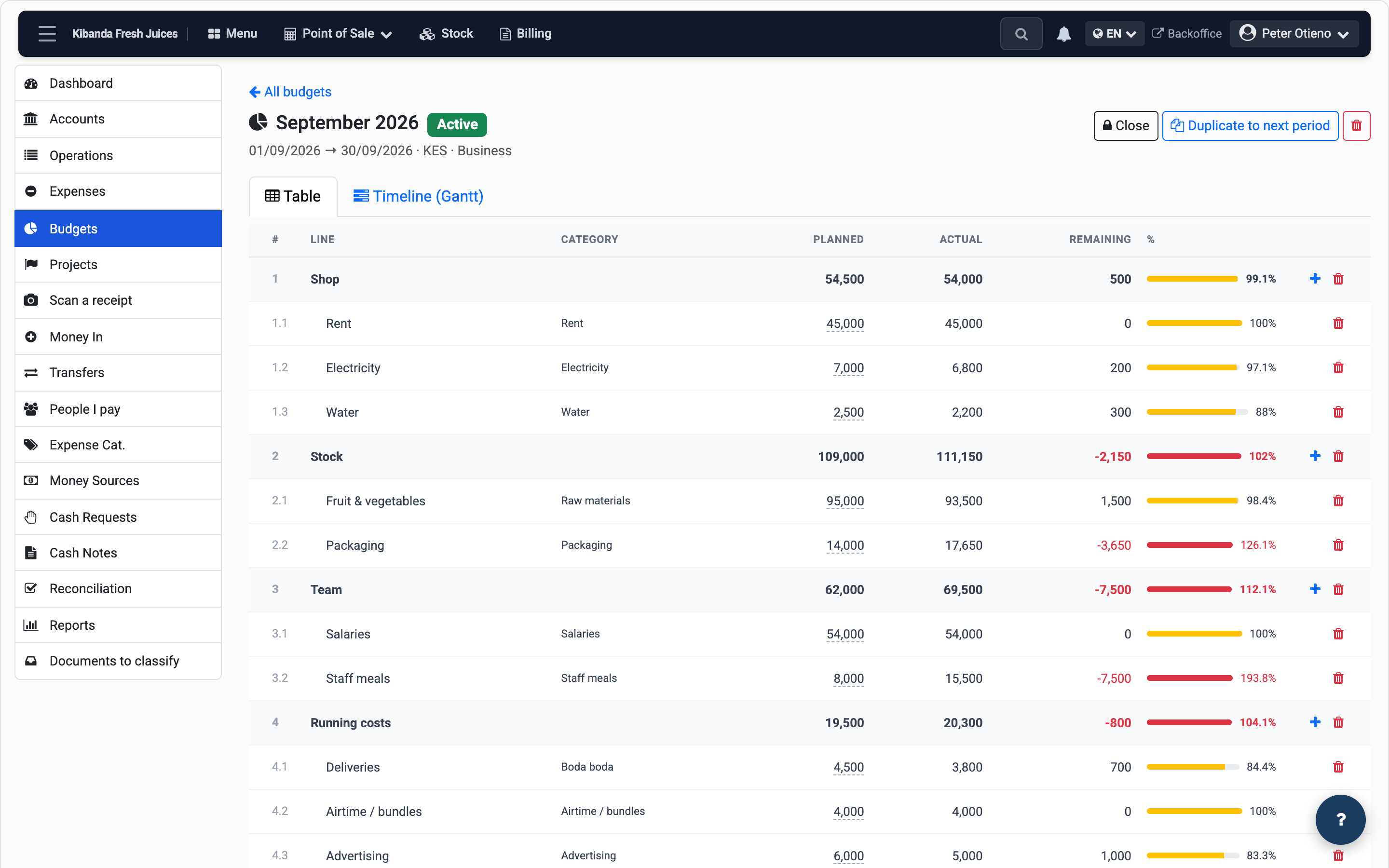
Budget next to actual
Spot the category going over before the month ends.
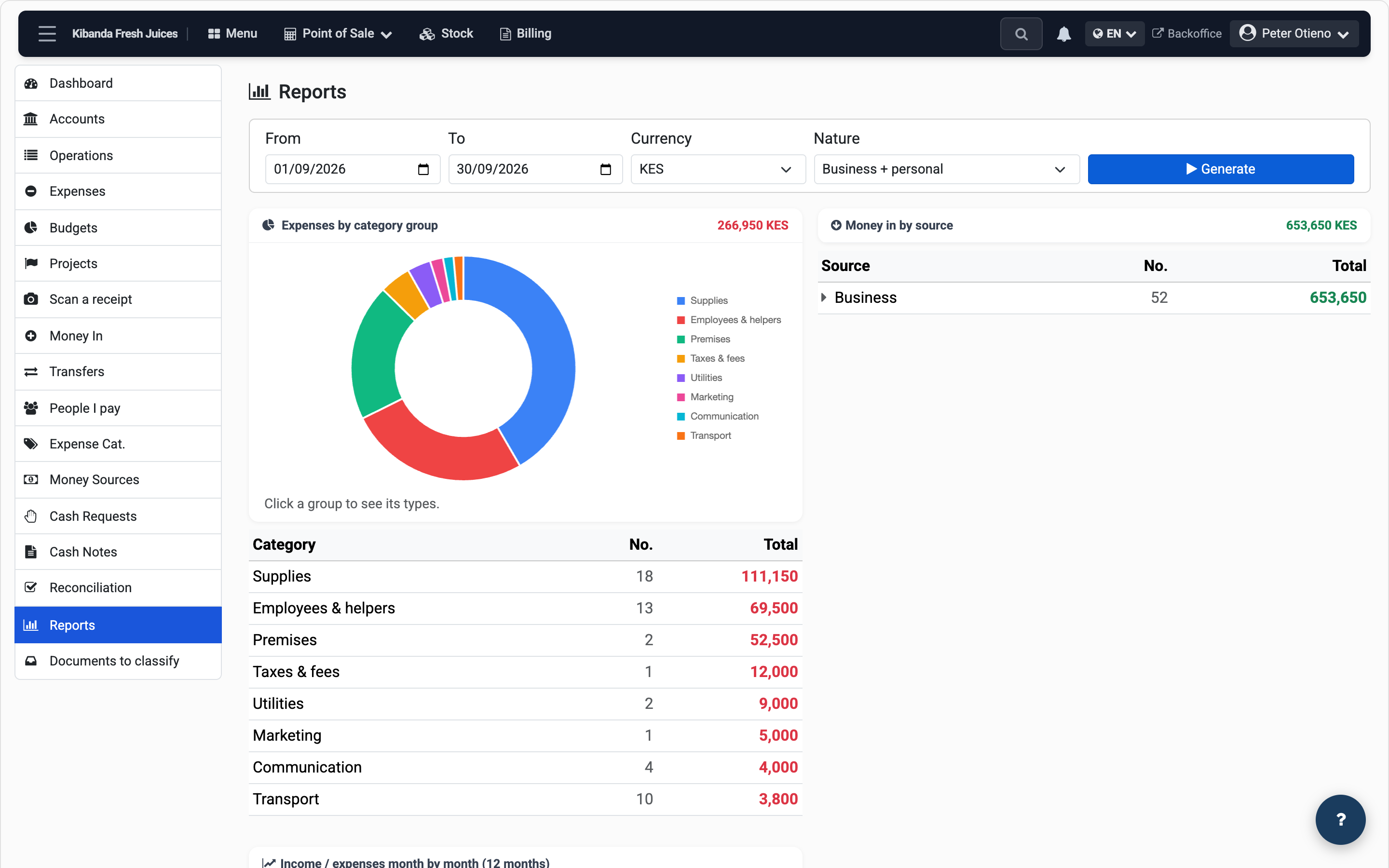
The month in one report
Money in, money out and balance, ready to show.
Any business
A shop, a salon, a taxi or a practice: cashflow works the same for every business. Later, move to every app for your business without changing accounts.
Questions
Are my receipts safe?
Yes. Each receipt is kept with its expense, in our cloud.
Do I need a computer?
No. Everything works from the phone. The computer is a bonus.
Does it read my M-Pesa messages?
No. You log your money moves; the app does the totals.
Can I add more apps later?
Yes. Your data stays; you just change plans.
Who helps if I get stuck?
A real person, on WhatsApp.
Start today.
From / month + VAT